GIFs have become an indispensable part of our digital communication, adding humor, emotion, and quick reactions to conversations and social media feeds. Whether it’s a hilarious meme, a snippet from your favorite show, or a reaction GIF that perfectly encapsulates your feelings, you’ll often find yourself wanting to save these dynamic images to your phone for later use or sharing. The good news is that saving GIFs to your mobile device, be it an iPhone or an Android, is generally straightforward, though the exact steps might vary slightly depending on the source and your phone’s operating system. Let’s dive into how you can collect your favorite animated clips.
How to Save GIFs from Twitter to Your iPhone
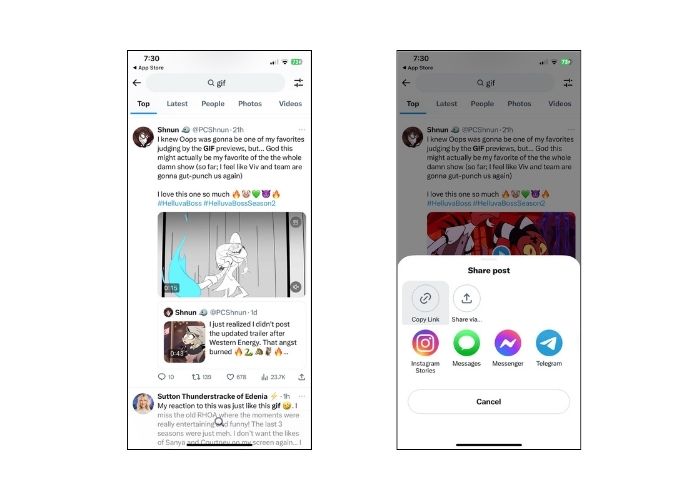
Saving GIFs directly from Twitter can sometimes be a little tricky because Twitter often embeds GIFs in a video format. If you try to long-press a GIF on Twitter, you might only get options related to sharing the tweet itself, or sometimes it saves as a still image or a video. For iPhones, a common method involves using a third-party app or an online converter that specializes in downloading Twitter videos/GIFs. You’ll typically copy the tweet’s link, paste it into the chosen tool, and then download the GIF, often converted into a video file that can be saved directly to your Photos app. This workaround ensures you get the full animation, ready to be re-shared or stored.
Saving GIFs from WhatsApp and Other Messaging Apps
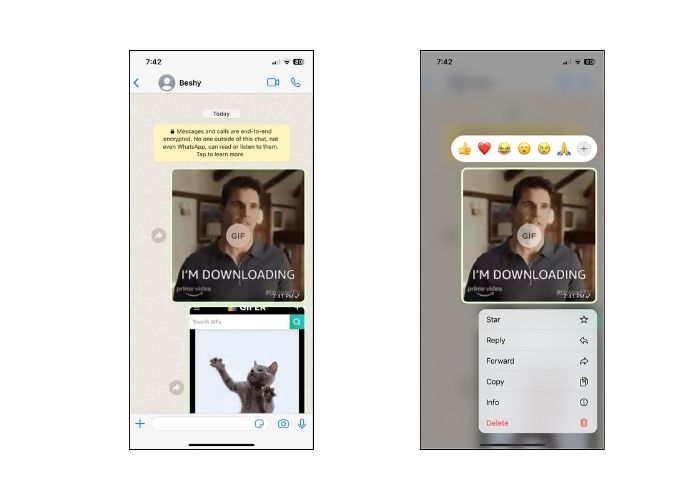
Messaging applications like WhatsApp, iMessage, and Facebook Messenger make sharing GIFs incredibly easy, and usually, saving them is just as simple. When you receive a GIF in a chat, tapping or long-pressing it will often bring up a menu of options. On an iPhone, for example, tapping a GIF in WhatsApp usually opens it in full-screen, where you’ll find a share icon (the square with an arrow pointing up). Tapping this will reveal options like “Save Image” or “Save to Camera Roll,” which will directly store the GIF in your phone’s photo library. Android users will find similar long-press options, typically including “Save” or “Download” to their gallery.
General Methods for Saving GIFs on iPhone

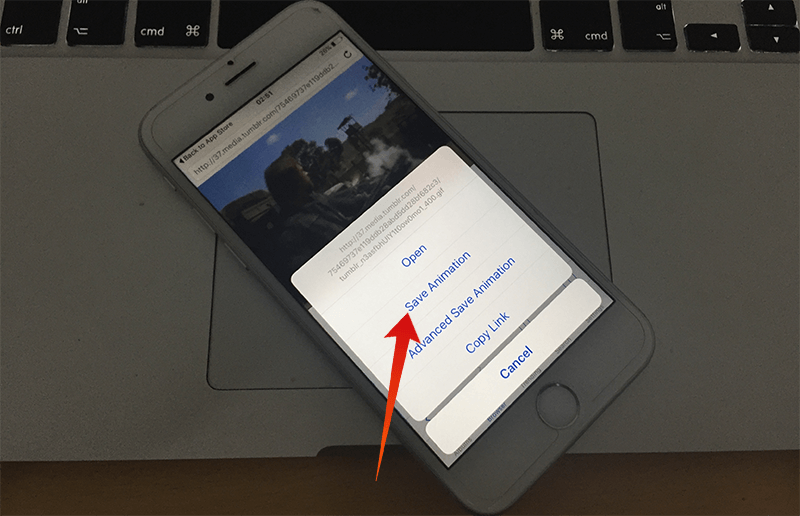
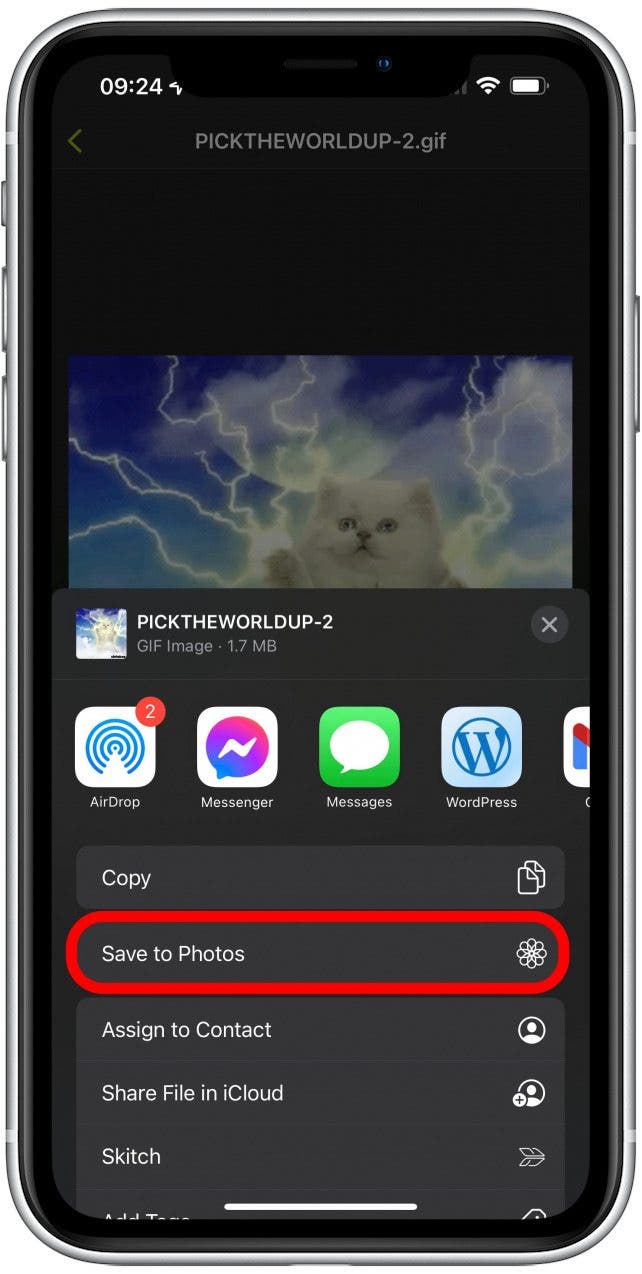
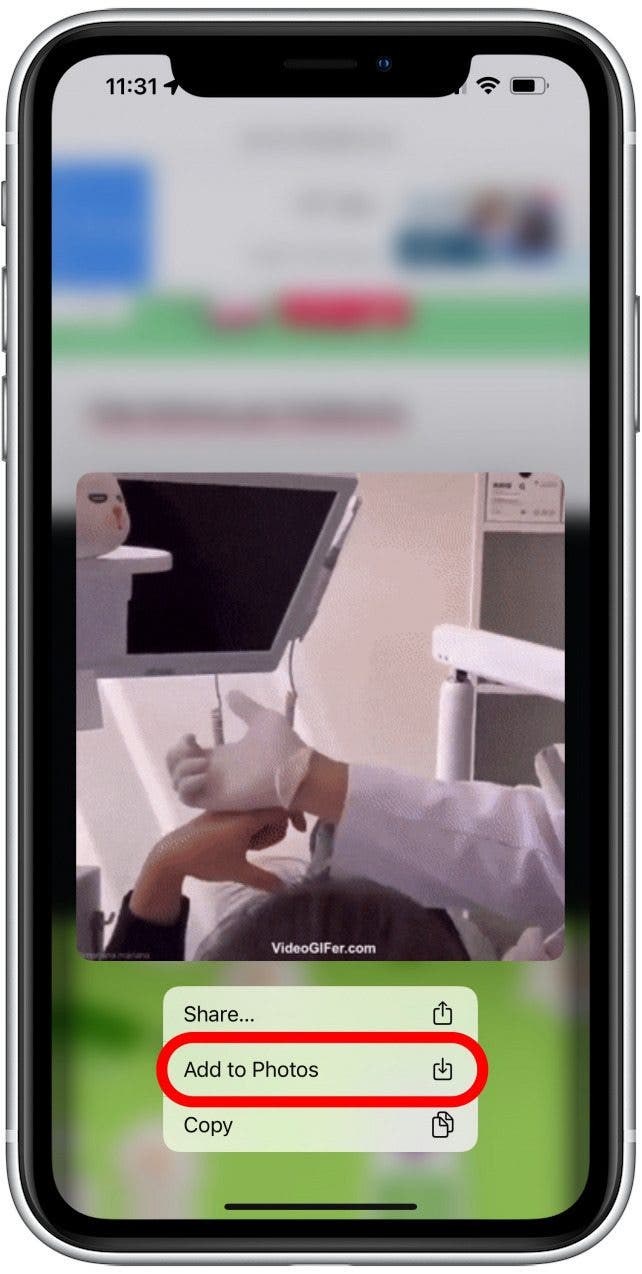
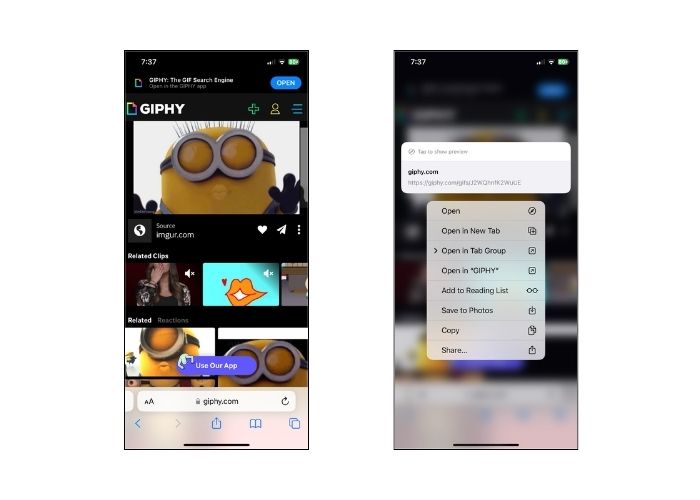
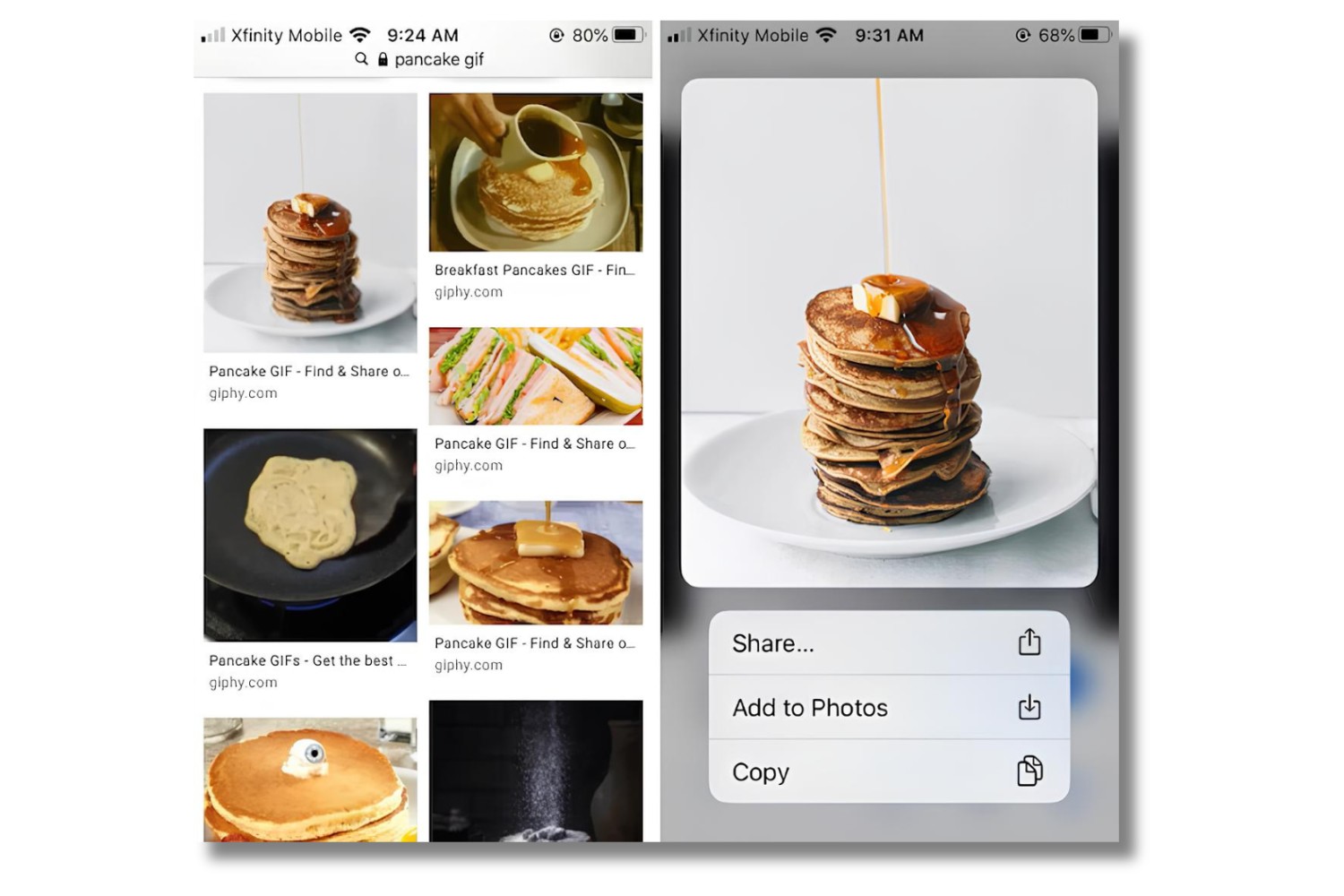
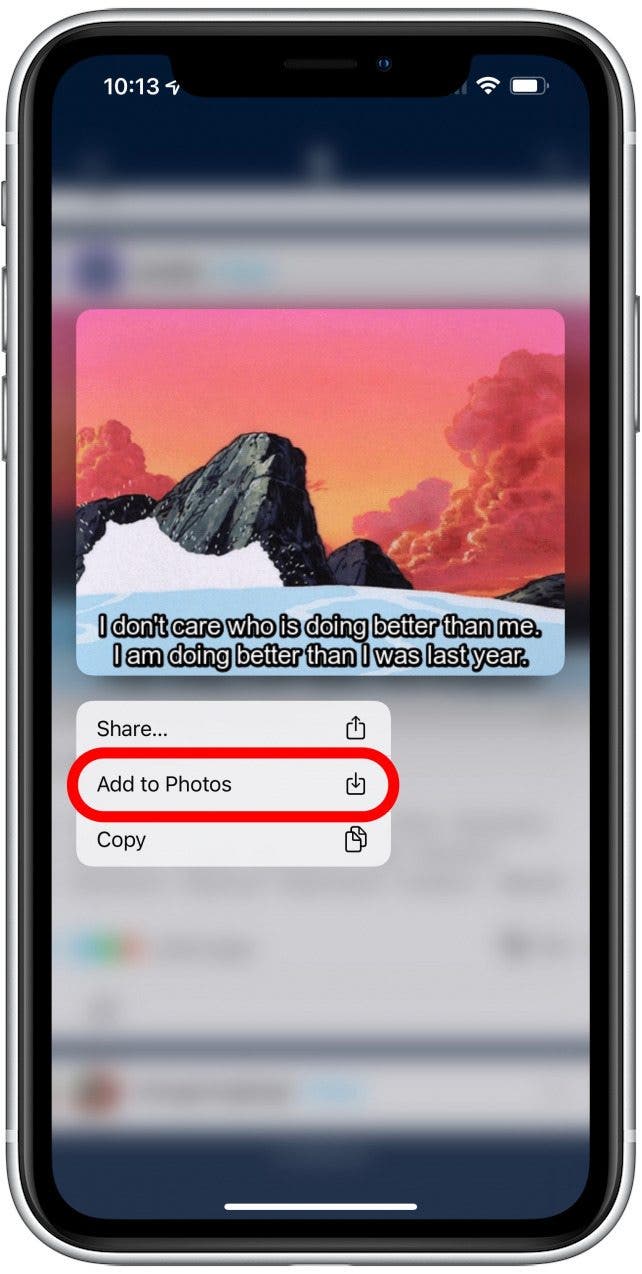
For GIFs encountered on websites, in emails, or within apps that don’t have their own specific sharing protocols, the general method for iPhone users is usually the reliable long-press. When you see a GIF, simply press and hold your finger on it. After a moment, a context menu should pop up. Look for options like “Save Image,” “Add to Photos,” or “Download Image.” Selecting this will send the GIF directly to your iPhone’s Photos app. Once saved, you can find it alongside your photos and videos, ready to be viewed, shared, or even used in other applications.
How to Save GIFs on Your Android Device

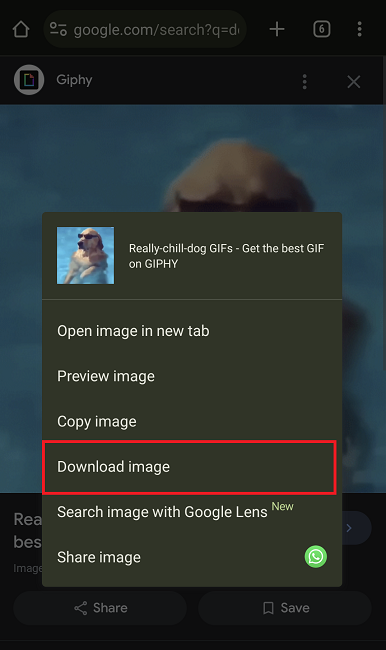
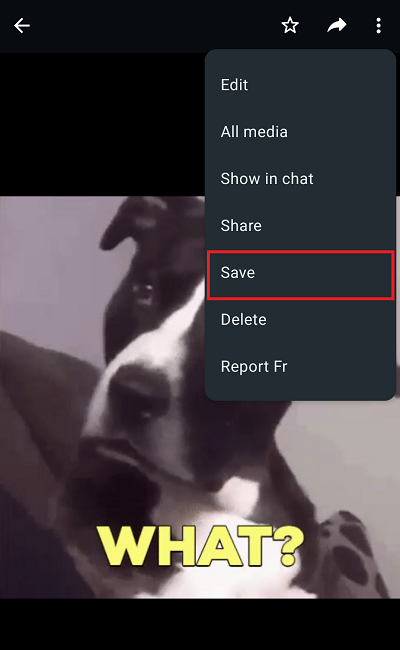
Android devices offer a very similar and intuitive experience for saving GIFs. Whether you’re browsing the web, scrolling through social media, or viewing a GIF in an email, the most common method is to perform a long-press gesture on the GIF. This action will typically summon a menu with options such as “Download image,” “Save image,” or “Save to gallery.” Tapping the appropriate option will download the GIF to your phone’s default downloads folder or directly to your gallery, where it can be easily accessed and managed like any other image or video file. Android’s flexibility also means that many third-party browsers or apps might offer even more direct ways to save media.
Exploring Different Ways to Save GIFs

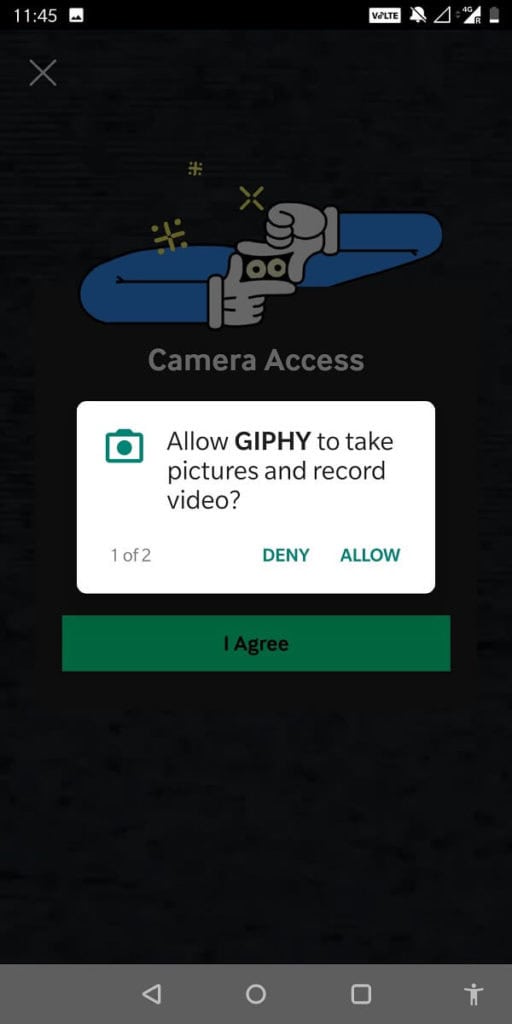
Beyond the direct saving methods, there are other avenues to consider for more challenging GIFs or specific needs. If a GIF is part of a video, you might need to use a screen recorder to capture it and then trim the video to the desired GIF length, or convert it using a dedicated app. Some online GIF repositories like Giphy or Tenor have their own apps that allow for easy browsing, sharing, and saving of GIFs directly to your phone. For GIFs that are particularly stubborn or embedded in complex web pages, dedicated browser extensions or online tools designed to extract media can also be invaluable resources, offering flexibility for even the most obscure animated images you might encounter.
If you are searching about 4 Ways to Save GIFs on Android Phone – TechCult you’ve visit to the right page. We have 35 Images about 4 Ways to Save GIFs on Android Phone – TechCult like How To Save a GIF to Your Phone (iPhone and Android) – Pttrns, 5 Best Sites on How to Save a GIF on iPhone as Video and also 4 Ways to Save GIFs on Android Phone – TechCult. Here you go:
4 Ways To Save GIFs On Android Phone – TechCult
techcult.com
4 Ways to Save GIFs on Android Phone – TechCult
5 Best Sites On How To Save A GIF On IPhone As Video

www.free-videoconverter.net
5 Best Sites on How to Save a GIF on iPhone as Video
How To Save GIFs On IPhone

www.howtogeek.com
How to Save GIFs on iPhone
4 Ways To Save GIFs On Android Phone – TechCult

techcult.com
4 Ways to Save GIFs on Android Phone – TechCult
How To Save A GIF To Your Phone (iPhone And Android) – Pttrns

www.pttrns.com
How To Save a GIF to Your Phone (iPhone and Android) – Pttrns
4 Ways To Save GIFs On Android Phone – TechCult

techcult.com
4 Ways to Save GIFs on Android Phone – TechCult
5 Best Sites On How To Save A GIF On IPhone As Video
www.free-videoconverter.net
5 Best Sites on How to Save a GIF on iPhone as Video
4 Ways To Save GIFs On Android Phone – TechCult

techcult.com
4 Ways to Save GIFs on Android Phone – TechCult
How To Save A GIF To Your Phone (iPhone And Android) – Pttrns
www.pttrns.com
How To Save a GIF to Your Phone (iPhone and Android) – Pttrns
4 Ways To Save GIFs On Android Phone – TechCult

techcult.com
4 Ways to Save GIFs on Android Phone – TechCult
How To Save GIFs On An IPhone: Download Your Favorites
www.iphonelife.com
How to Save GIFs on an iPhone: Download Your Favorites
Save Gif Images On IPhone Or IPad – Download Gifs To Camera Roll Easily
www.unlockboot.com
Save Gif Images on iPhone or iPad – Download Gifs to Camera Roll Easily
How To Save GIFs On IPhone In 2022: IPhone GIF Download 101
www.iphonelife.com
How to Save GIFs on iPhone in 2022: iPhone GIF Download 101
How To Save GIFs On An IPhone: Download Your Favorites

www.iphonelife.com
How to Save GIFs on an iPhone: Download Your Favorites
How To Save A GIF To Your Phone (iPhone And Android) – Pttrns

www.pttrns.com
How To Save a GIF to Your Phone (iPhone and Android) – Pttrns
4 Ways To Save GIFs On Android Phone – TechCult

techcult.com
4 Ways to Save GIFs on Android Phone – TechCult
5 Best Sites On How To Save A GIF On IPhone As Video
www.free-videoconverter.net
5 Best Sites on How to Save a GIF on iPhone as Video
4 Ways To Save GIFs On Android Phone – TechCult

techcult.com
4 Ways to Save GIFs on Android Phone – TechCult
How To Save GIFs On IPhone In 2022: IPhone GIF Download 101
www.iphonelife.com
How to Save GIFs on iPhone in 2022: iPhone GIF Download 101
How To Save GIF On IPhone: 3 Simplest Ways – Freemake

www.freemake.com
How to Save GIF on iPhone: 3 Simplest Ways – Freemake
How To Save A GIF To Your Phone (iPhone And Android) – Pttrns

www.pttrns.com
How To Save a GIF to Your Phone (iPhone and Android) – Pttrns
4 Ways To Save GIFs On Android Phone – TechCult
techcult.com
4 Ways to Save GIFs on Android Phone – TechCult
How To Save GIF On IPhone: 3 Simplest Ways – Freemake

www.freemake.com
How to Save GIF on iPhone: 3 Simplest Ways – Freemake
Save Gif Images On IPhone Or IPad – Download Gifs To Camera Roll Easily

www.unlockboot.com
Save Gif Images on iPhone or iPad – Download Gifs to Camera Roll Easily
5 Best Sites On How To Save A GIF On IPhone As Video
www.free-videoconverter.net
5 Best Sites on How to Save a GIF on iPhone as Video
4 Ways To Save GIFs On Android Phone – TechCult

techcult.com
4 Ways to Save GIFs on Android Phone – TechCult
4 Ways To Save GIFs On Android Phone – TechCult

techcult.com
4 Ways to Save GIFs on Android Phone – TechCult
[Tutorial] How To Save & Send GIF From An IPhone – The Tech Journal
![[Tutorial] How To Save & Send GIF From An iPhone - The Tech Journal](https://thetechjournal.com/wp-content/uploads/2016/06/Save-Gif-on-iPhone.png)
thetechjournal.com
[Tutorial] How To Save & Send GIF From An iPhone – The Tech Journal
4 Ways To Save GIFs On Android Phone – TechCult

techcult.com
4 Ways to Save GIFs on Android Phone – TechCult
How To Save GIF To IPhone: A Step-by-Step Guide For Downloading And

gifdb.com
How to Save GIF to iPhone: A Step-by-Step Guide for Downloading and …
How To Save GIF On IPhone: 3 Simplest Ways – Freemake
www.freemake.com
How to Save GIF on iPhone: 3 Simplest Ways – Freemake
How To Save A GIF On IPhone From Safari | Robots.net
robots.net
How To Save A GIF On iPhone From Safari | Robots.net
How To Save GIFs On IPhone In 2022: IPhone GIF Download 101
www.iphonelife.com
How to Save GIFs on iPhone in 2022: iPhone GIF Download 101
4 Ways To Save GIFs On Android Phone – TechCult

techcult.com
4 Ways to Save GIFs on Android Phone – TechCult
How To Save A GIF To Your Phone (iPhone And Android) – Pttrns
www.pttrns.com
How To Save a GIF to Your Phone (iPhone and Android) – Pttrns
4 ways to save gifs on android phone – techcult. 5 best sites on how to save a gif on iphone as video. 4 ways to save gifs on android phone – techcult