Oh, the horror! You’re locked in a fierce iMessage debate, armed with the perfect reaction GIF, only to find… nothing. Just a gaping void where your animated masterpiece should be. Or worse, the GIF search simply refuses to cooperate, leaving you to fend for yourself with mere words and emojis. It’s a digital catastrophe, a silent scream in the void of your chat. What gives? Why has your iPhone decided to stage a silent protest against the very essence of modern communication? Fear not, fellow texters, for this animated agony is often fixable. Let’s dive into the puzzling world of disappearing GIFs and reclaim our right to visual hilarity!
The Case of the Missing GIFs: Where Did They Go?

Sometimes, your GIFs aren’t exactly ‘missing’ but rather just not playing ball. Perhaps they’re stuck loading, or they appear as static images, robbing them of their very soul. This often points to a minor hiccup in the iMessage app itself or your iPhone’s temporary cache. A quick fix can sometimes be as simple as restarting the Messages app (swipe up from the bottom of the screen to bring up the app switcher, then swipe the Messages app off the top) or, for a more robust reset, restarting your entire iPhone. These basic troubleshooting steps are the digital equivalent of “turning it off and on again” and often work wonders to clear up small software glitches that might be holding your GIFs hostage.
Your #Images Search is Just… Searching for Itself?

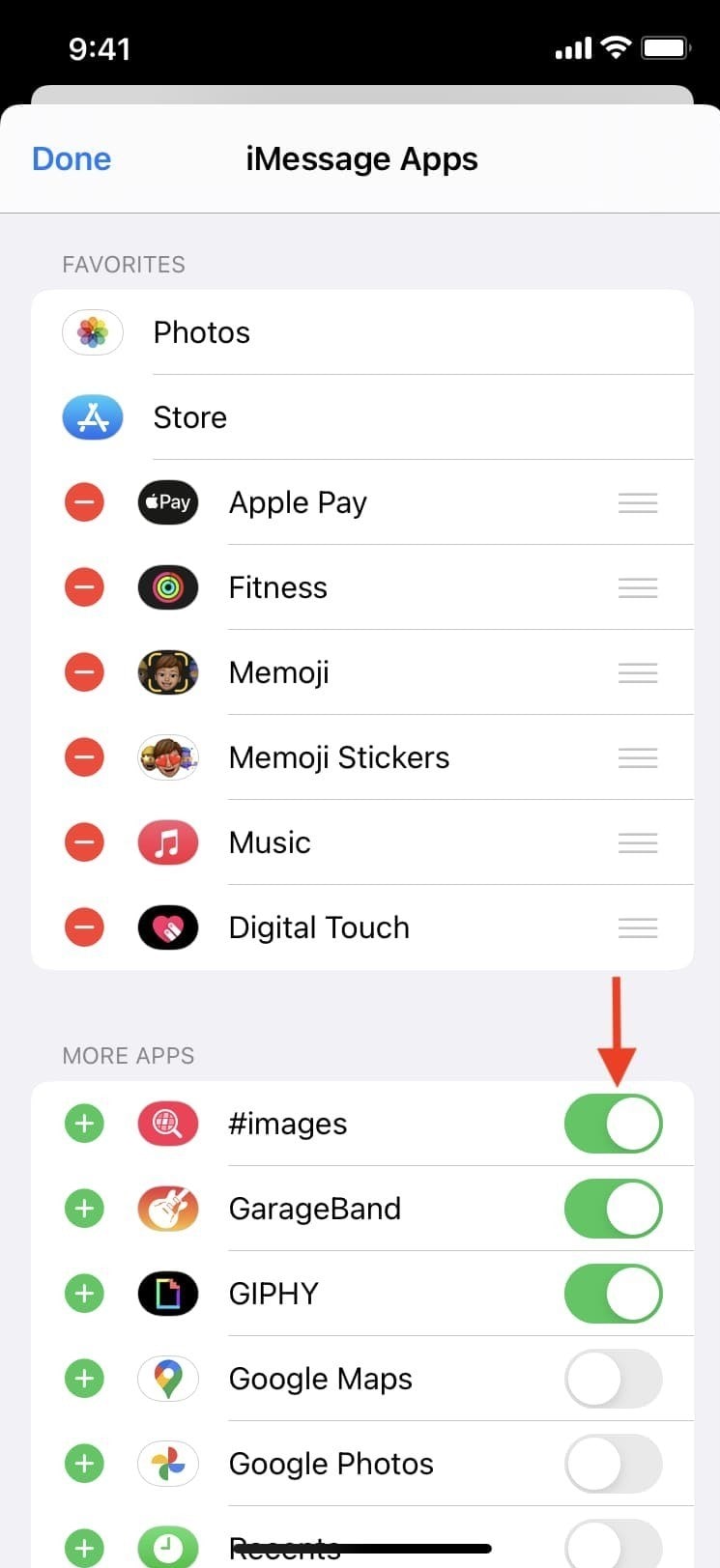
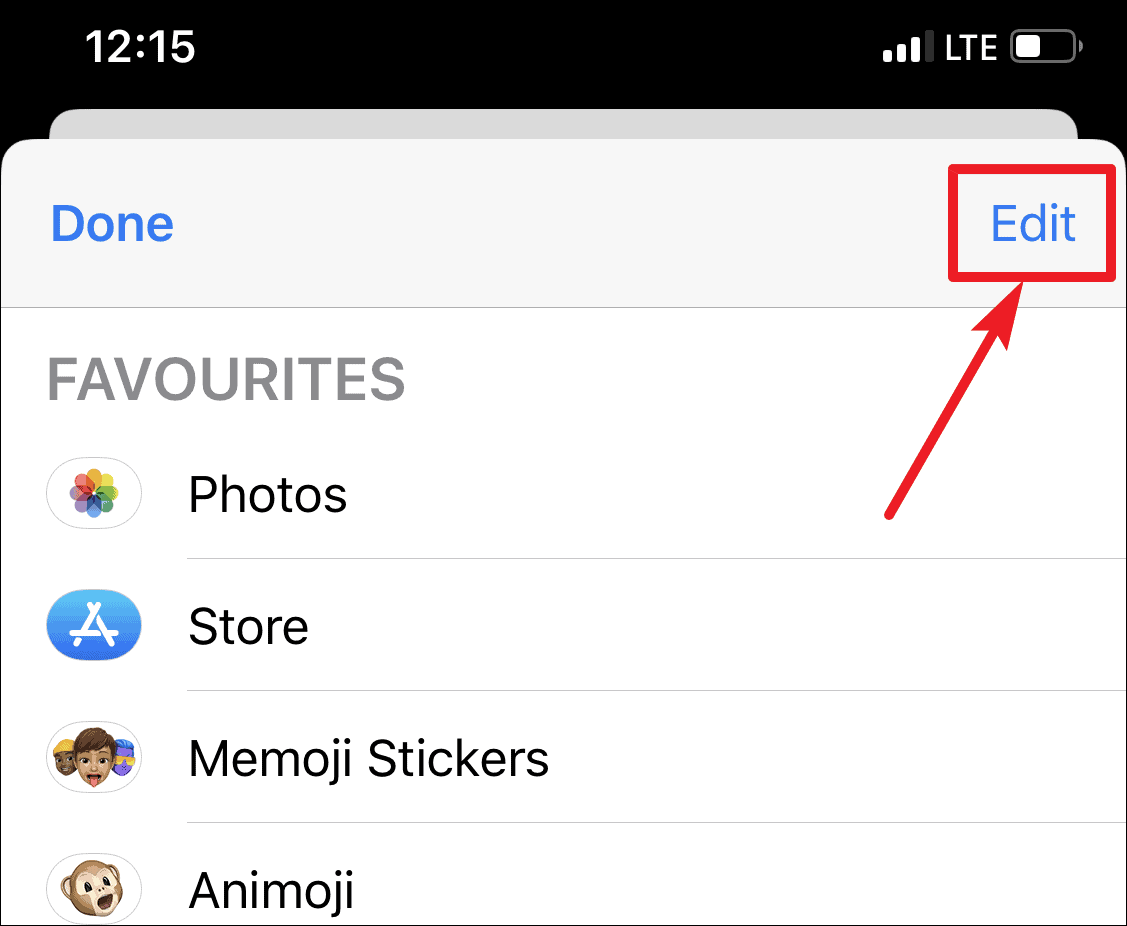
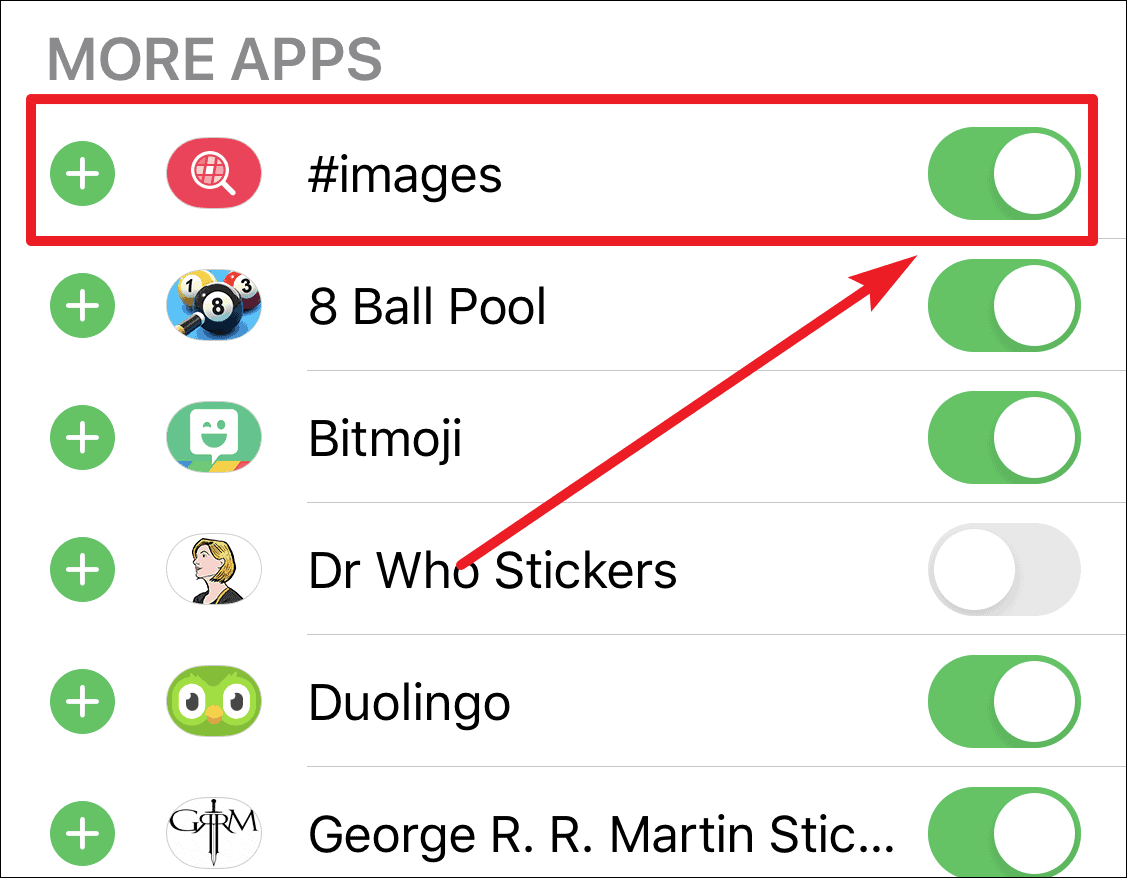
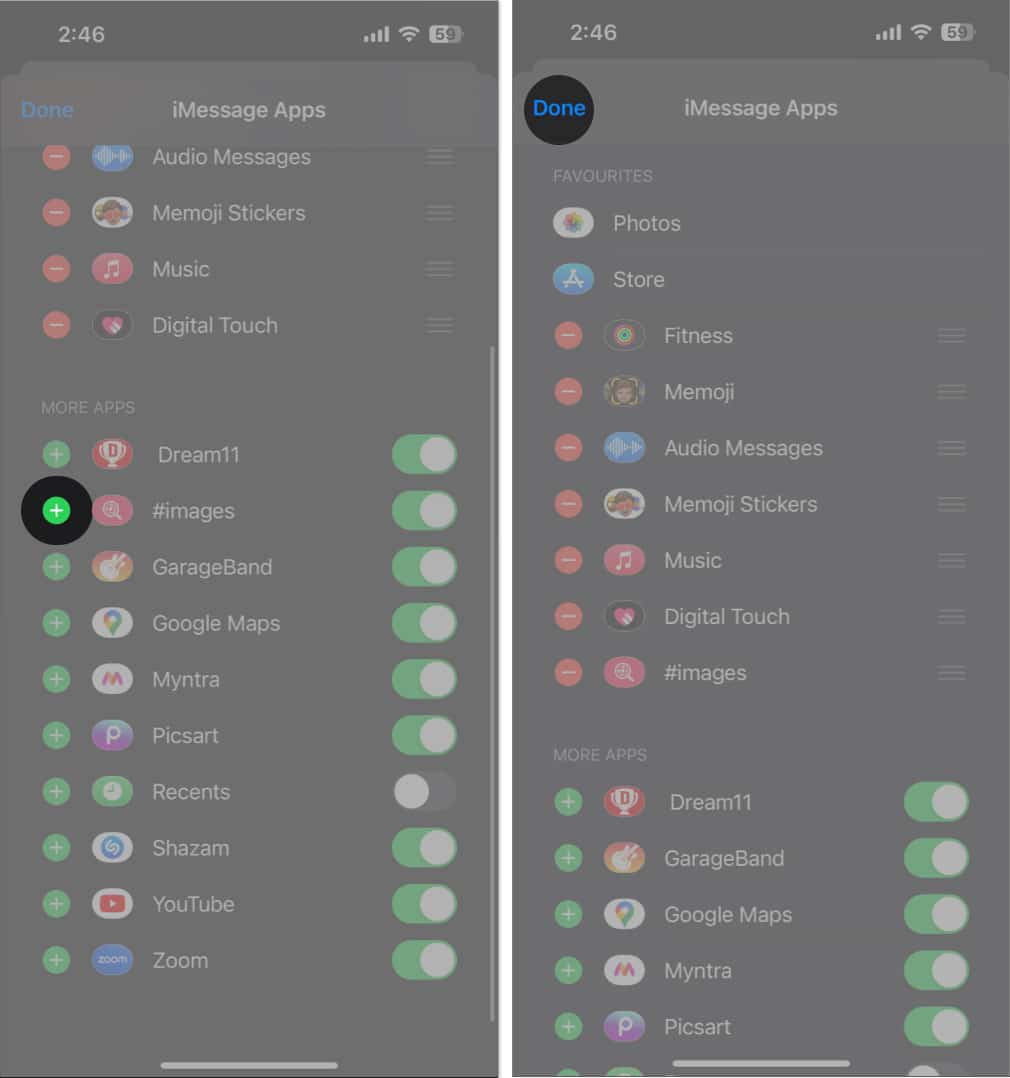
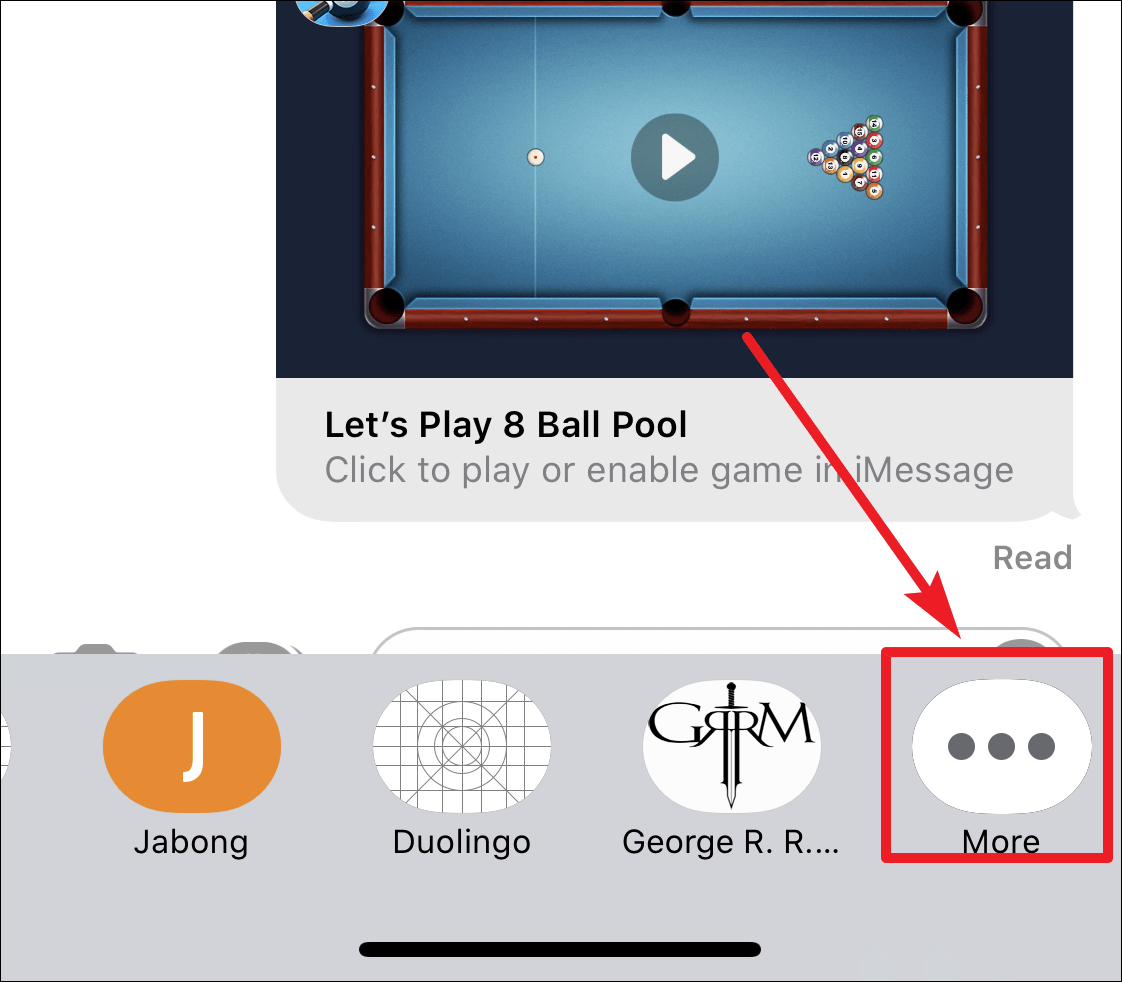
It’s one thing for received GIFs to act up, but when the #Images app itself — your trusty GIF search companion — goes rogue, that’s a whole new level of frustration. If your search isn’t yielding results, or the app simply isn’t loading, it’s time to check its status within iMessage. Ensure the #Images app is enabled and properly positioned in your iMessage app drawer. You can manage this by tapping the App Store icon in iMessage, then the ‘More’ button (three dots), and checking if #Images is toggled on. Sometimes, a rogue app update or a simple setting flip can make your favorite GIF search tool vanish into thin air. Confirming its active status is a crucial step.
When Your iPhone Just Says “Nope” to Gifs
If you’ve tried the basics and your iPhone is still giving the cold shoulder to all things GIF, the problem might be more systemic. Network connectivity is a prime suspect here. GIFs, especially high-quality ones, require a stable internet connection to load and display correctly. Check your Wi-Fi or cellular data connection to ensure it’s strong and reliable. If your internet is spotty, even basic images might struggle, let alone dynamic GIFs. Also, consider any VPNs or network blockers you might be using, as these can sometimes interfere with content loading in apps like iMessage. Temporarily disabling them might reveal the root cause of the issue.
Decoding the Digital Silence: Why Your GIFs Won’t Play Ball
The digital silence from your GIFs can be deafening, but understanding why they’re not playing ball often involves a deeper dive into your device’s ecosystem. One common culprit is outdated software. Apple frequently rolls out iOS updates that include bug fixes and performance enhancements. If your iPhone is running an older version of iOS, it might be experiencing compatibility issues with the latest GIF formats or iMessage functionalities. Head to Settings > General > Software Update and ensure your device is running the most current version. While you’re at it, check your iPhone’s storage. A device bursting at the seams with data can sometimes slow down app performance, including the loading of multimedia content like GIFs.
Reclaiming the Joy: Getting Your iMessage GIF Search Back on Track

The journey to full GIF functionality might seem daunting, but armed with these tips, you’re well on your way to reclaiming your iMessage joy. If all else fails, a more drastic but often effective measure is to reset your network settings. Go to Settings > General > Transfer or Reset iPhone > Reset > Reset Network Settings. This will clear all network configurations, including Wi-Fi passwords and cellular settings, which can sometimes resolve persistent connectivity issues affecting GIF loading. While it’s a bit more involved, it often provides a clean slate for your internet-dependent features. Don’t let a stubborn GIF problem diminish your messaging experience; troubleshoot your way back to animated bliss!
If you are searching about FIX: GIF Search and #Images Not Working in iMessage on iPhone you’ve came to the right page. We have 35 Pictures about FIX: GIF Search and #Images Not Working in iMessage on iPhone like FIX: GIF Search and #Images Not Working in iMessage on iPhone, 10 Best Methods to Fix Animated GIFs Not Working on Your iPhone and also GIFs Not Working On IPhone: Quick Fixes For Image Glitches. Here it is:
FIX: GIF Search And #Images Not Working In IMessage On IPhone

allthings.how
FIX: GIF Search and #Images Not Working in iMessage on iPhone
FIX: GIF Search And #Images Not Working In IMessage On IPhone
allthings.how
FIX: GIF Search and #Images Not Working in iMessage on iPhone
FIX: GIF Search And #Images Not Working In IMessage On IPhone
allthings.how
FIX: GIF Search and #Images Not Working in iMessage on iPhone
8 Fixes For GIFs Not Working Or Disappeared On IPhone – Guiding Tech

www.guidingtech.com
8 Fixes for GIFs Not Working or Disappeared on iPhone – Guiding Tech
Best Ways To Fix GIFs Not Working On IPhone – TechWiser

techwiser.com
Best Ways to Fix GIFs Not Working on iPhone – TechWiser
5 Best Ways To Fix IMessage Not Working On IPhone And IPad – Guiding Tech
www.guidingtech.com
5 Best Ways to Fix iMessage Not Working On iPhone and iPad – Guiding Tech
FIX: GIF Search And #Images Not Working In IMessage On IPhone – All

allthings.how
FIX: GIF Search and #Images Not Working in iMessage on iPhone – All …
FIX: GIF Search And #Images Not Working In IMessage On IPhone

allthings.how
FIX: GIF Search and #Images Not Working in iMessage on iPhone
IPhone GIFs Not Working? Here's What You Can Do To Fix Them
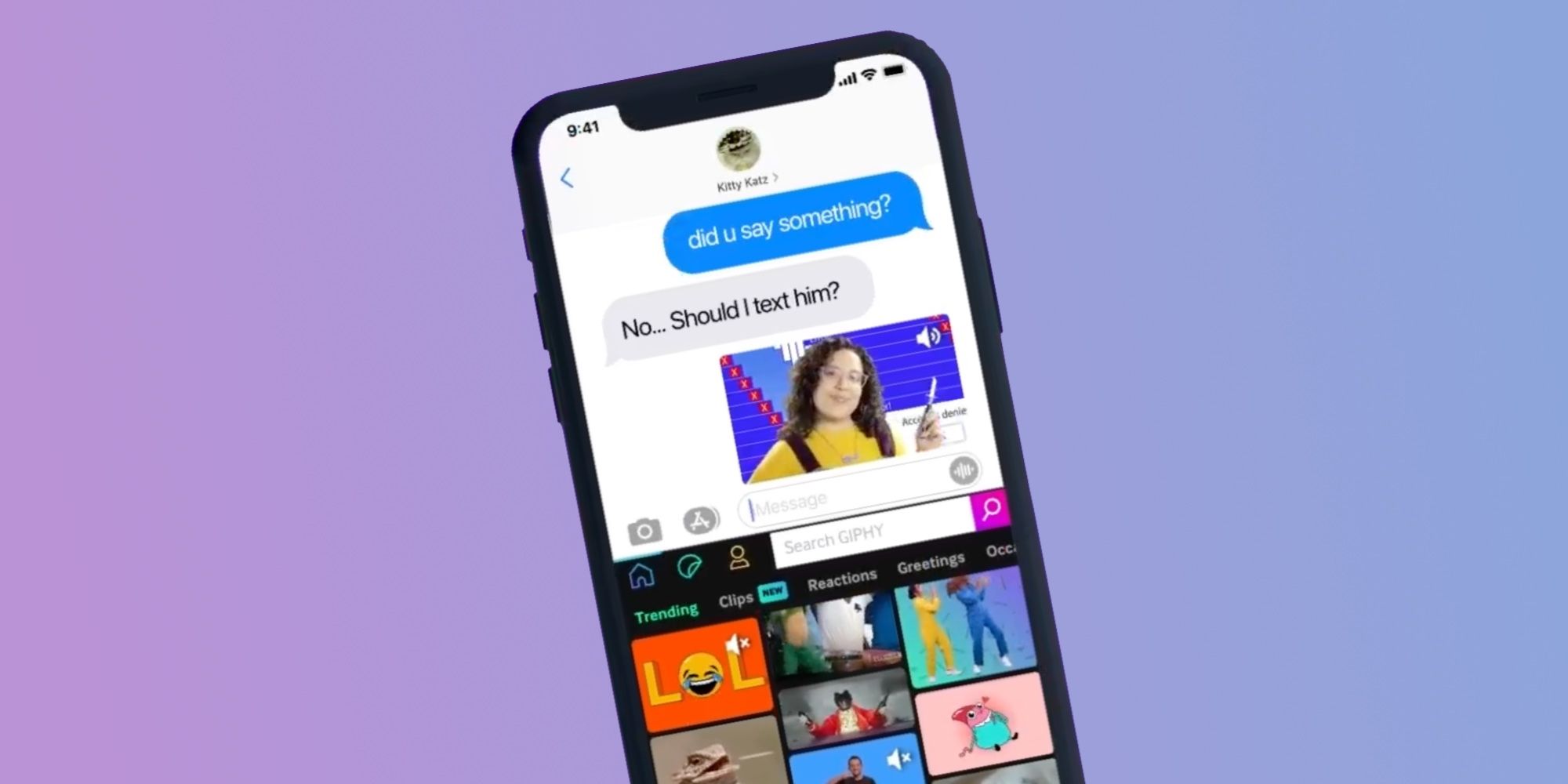
screenrant.com
iPhone GIFs Not Working? Here's What You Can Do To Fix Them
8 Fixes For GIFs Not Working Or Disappeared On IPhone – Guiding Tech
www.guidingtech.com
8 Fixes for GIFs Not Working or Disappeared on iPhone – Guiding Tech
FIX: GIF Search And #Images Not Working In IMessage On IPhone
allthings.how
FIX: GIF Search and #Images Not Working in iMessage on iPhone
FIX: GIF Search And #Images Not Working In IMessage On IPhone

allthings.how
FIX: GIF Search and #Images Not Working in iMessage on iPhone
8 Fixes For GIFs Not Working Or Disappeared On IPhone – Guiding Tech
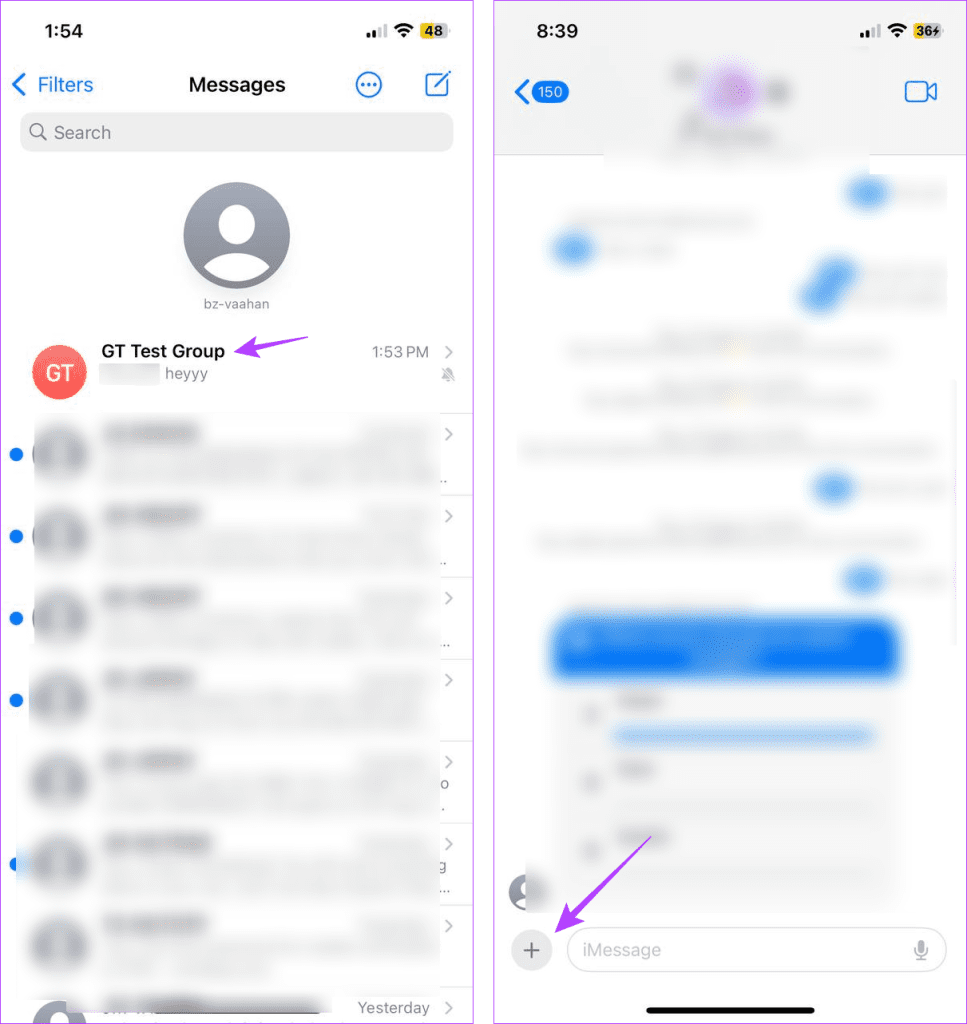
www.guidingtech.com
8 Fixes for GIFs Not Working or Disappeared on iPhone – Guiding Tech
8 Fixes For GIFs Not Working Or Disappeared On IPhone – Guiding Tech

www.guidingtech.com
8 Fixes for GIFs Not Working or Disappeared on iPhone – Guiding Tech
Fix IMessage Not Working For A Particular Contact
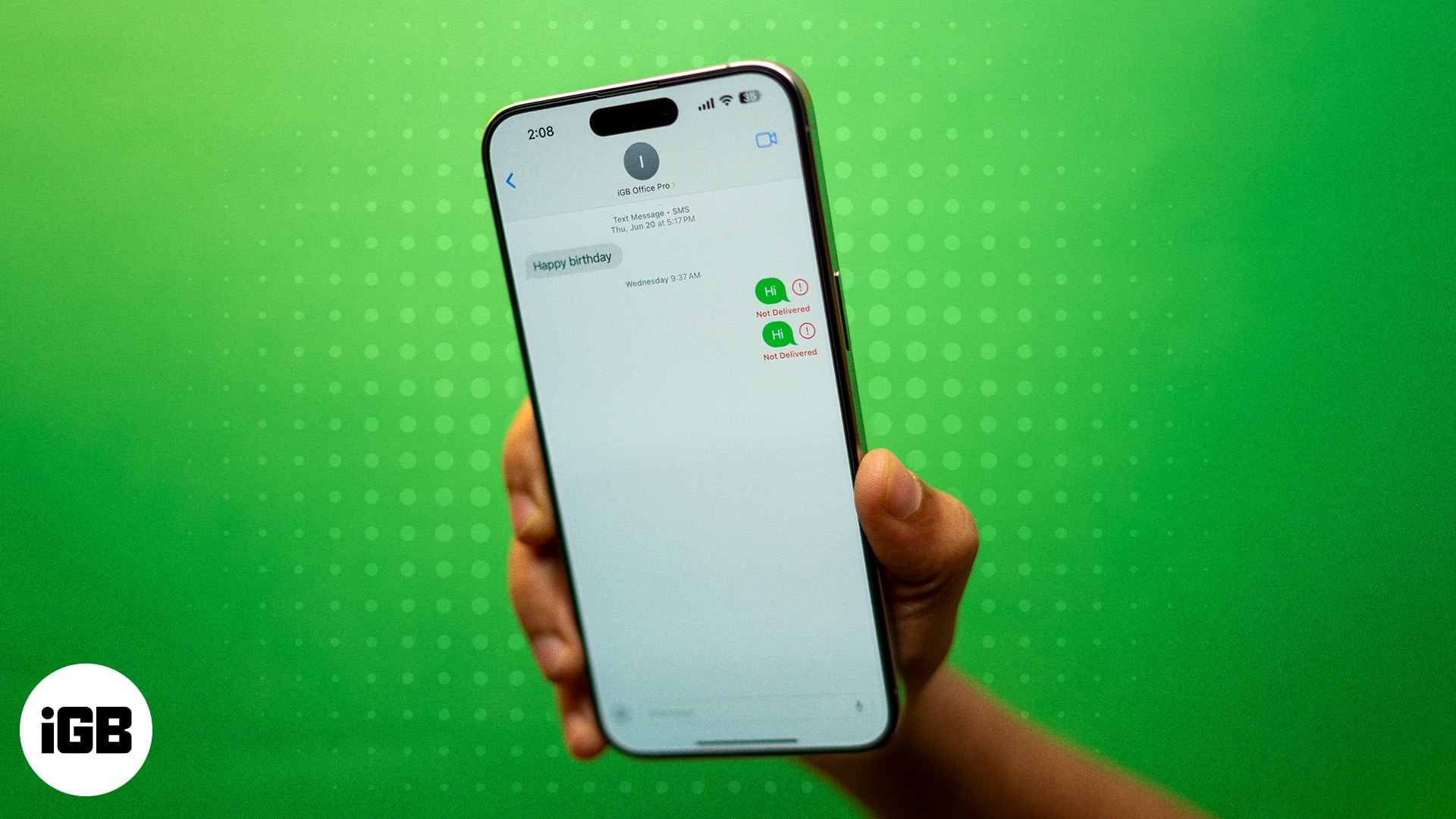
www.igeeksblog.com
Fix iMessage not working for a particular contact
FIX: GIF Search And #Images Not Working In IMessage On IPhone
allthings.how
FIX: GIF Search and #Images Not Working in iMessage on iPhone
FIX: GIF Search And #Images Not Working In IMessage On IPhone
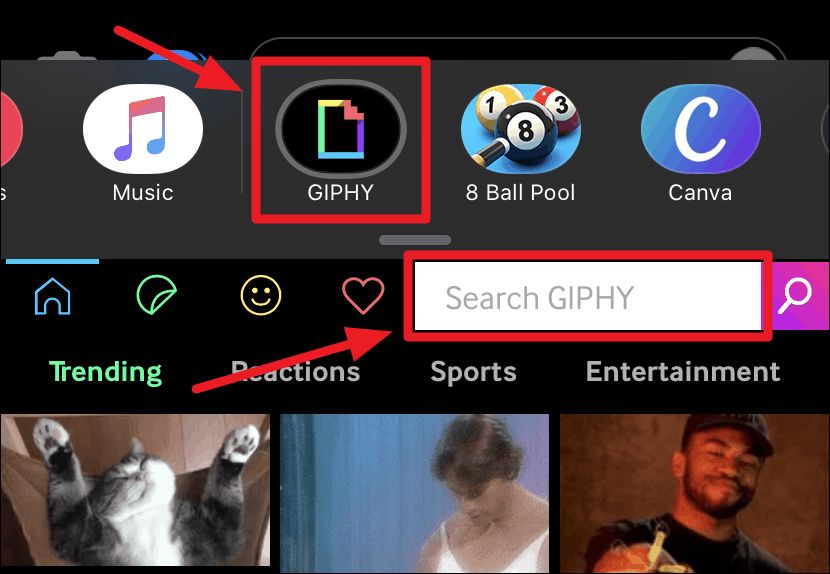
allthings.how
FIX: GIF Search and #Images Not Working in iMessage on iPhone
IPhone GIFs Not Working? Here's What You Can Do To Fix Them
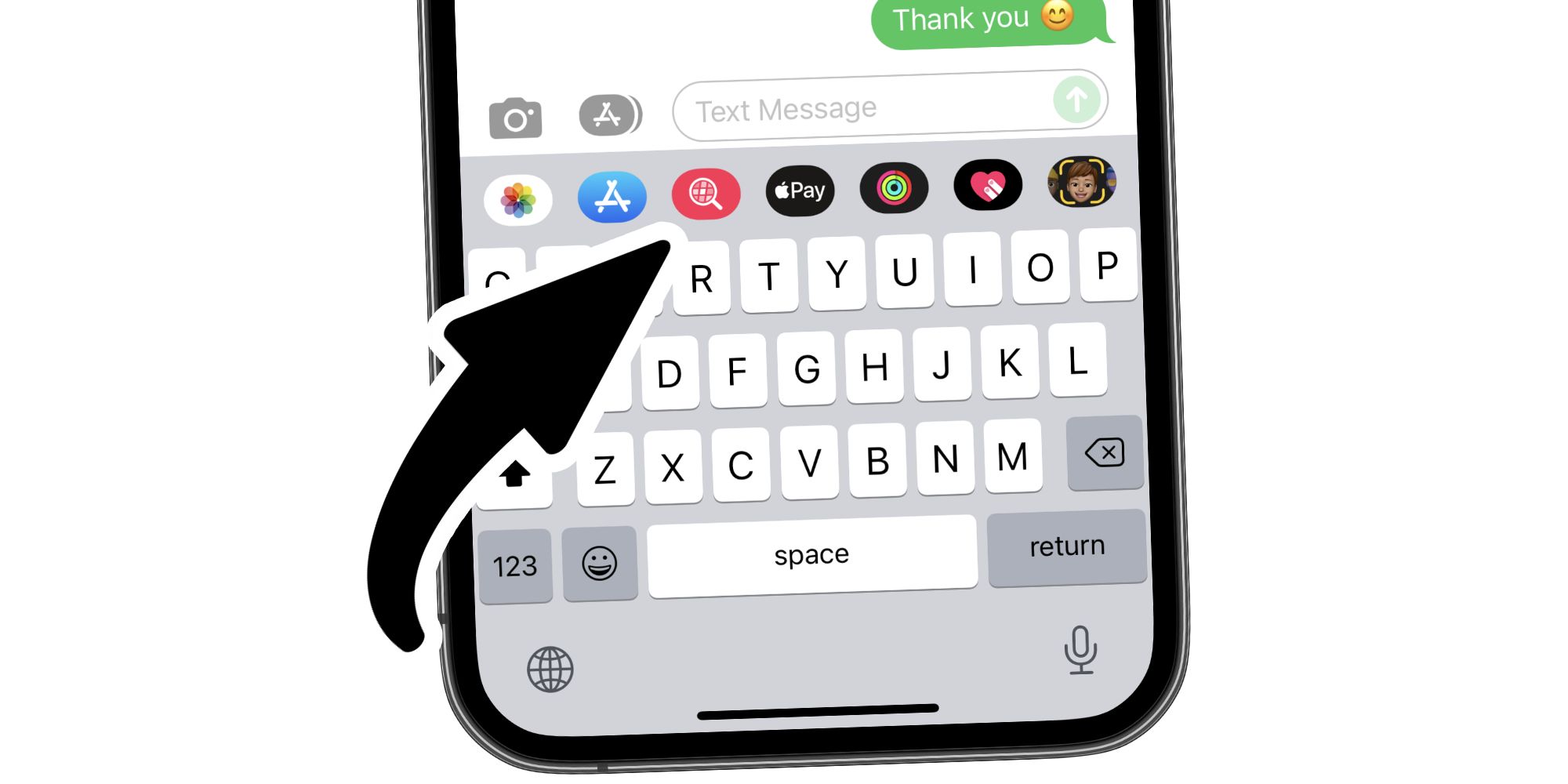
screenrant.com
iPhone GIFs Not Working? Here's What You Can Do To Fix Them
8 Fixes For GIFs Not Working Or Disappeared On IPhone – Guiding Tech
www.guidingtech.com
8 Fixes for GIFs Not Working or Disappeared on iPhone – Guiding Tech
5 Best Ways To Fix IMessage Not Working On IPhone And IPad – Guiding Tech

www.guidingtech.com
5 Best Ways to Fix iMessage Not Working On iPhone and iPad – Guiding Tech
10 Best Methods To Fix Animated GIFs Not Working On Your IPhone

www.widsmob.com
10 Best Methods to Fix Animated GIFs Not Working on Your iPhone
3 Fixes For Stickers Not Working In IMessage On IPhone – Guiding Tech
www.guidingtech.com
3 Fixes for Stickers Not Working in iMessage on iPhone – Guiding Tech
8 Fixes For GIFs Not Working Or Disappeared On IPhone – Guiding Tech

www.guidingtech.com
8 Fixes for GIFs Not Working or Disappeared on iPhone – Guiding Tech
GIFs Not Working On IPhone? Easy Ways To Fix It! – IGeeksBlog
www.igeeksblog.com
GIFs not working on iPhone? Easy ways to fix it! – iGeeksBlog
FIX: GIF Search And #Images Not Working In IMessage On IPhone
allthings.how
FIX: GIF Search and #Images Not Working in iMessage on iPhone
FIX: GIF Search And #Images Not Working In IMessage On IPhone

allthings.how
FIX: GIF Search and #Images Not Working in iMessage on iPhone
Why Is My IMessage Not Working | Robots.net
robots.net
Why Is My iMessage Not Working | Robots.net
IPhone GIF Not Working? 8 Proven Fixes!
repairit.wondershare.com
iPhone GIF Not Working? 8 Proven Fixes!
GIFs Not Working On IPhone? Easy Ways To Fix It! – IGeeksBlog

www.igeeksblog.com
GIFs not working on iPhone? Easy ways to fix it! – iGeeksBlog
10 Best Methods To Fix Animated GIFs Not Working On Your IPhone

www.widsmob.com
10 Best Methods to Fix Animated GIFs Not Working on Your iPhone
GIFs Not Working On IPhone? 10 Ways To Fix It! – IGeeksBlog
www.igeeksblog.com
GIFs not working on iPhone? 10 Ways to fix it! – iGeeksBlog
8 Fixes For GIFs Not Working Or Disappeared On IPhone – Guiding Tech
www.guidingtech.com
8 Fixes for GIFs Not Working or Disappeared on iPhone – Guiding Tech
8 Fixes For GIFs Not Working Or Disappeared On IPhone – Guiding Tech

www.guidingtech.com
8 Fixes for GIFs Not Working or Disappeared on iPhone – Guiding Tech
8 Simple Ways To Fix IPhone GIFs Not Working – Tech News Today
www.technewstoday.com
8 Simple Ways to Fix iPhone GIFs Not Working – Tech News Today
GIFs Not Working On IPhone: Quick Fixes For Image Glitches

thegadgetbuyer.com
GIFs Not Working On IPhone: Quick Fixes For Image Glitches
Fix: gif search and #images not working in imessage on iphone. Gifs not working on iphone? easy ways to fix it! – igeeksblog. 8 fixes for gifs not working or disappeared on iphone